

There are sensible ways to upgrade a home server.
You identify the bottleneck, choose a reasonably modern platform, calculate a budget, buy the parts, assemble the machine, and get on with your life.
This is not that story.
This story begins with a Lenovo ThinkCentre M700, 16 GB of DDR4 RAM, ZFS eating memory like it had personally paid for it, a little bit of wine, some wonderfully bastardized Chinese server hardware, several trips through AliExpress and Karrot, one very happy wife, and eventually a 22-core Xeon with 128 GB of ECC RAM sitting in a JONSBO N4.
Somewhere along the way, I also built an entirely separate Xeon PC.
Obviously.
The Original Problem: 16 GB Wasn't Enough Anymore
My previous TrueNAS server was a ThinkCentre M700 small-form-factor machine.
It was a good little computer. Reliable, compact, quiet, and efficient enough that I could leave it running all the time without thinking much about it.
The problem was RAM.
It had only two DIMM slots, and I had 16 GB of DDR4 installed. I had bought that memory before RAM prices became annoying, for well under roughly ₩60,000 ≈ $40, and for a while I was perfectly happy with it.
Then my homelab started growing.
ZFS loves RAM. I wanted more services. I wanted to run more virtual machines. I wanted room to experiment without constantly staring at the memory graph and wondering which service I should kill next.
More importantly, I was getting tired of having several little computers doing several different jobs.
I wanted consolidation.
Instead of one machine doing storage, another doing web hosting, another doing some random service I had decided I absolutely needed at 2 AM, I wanted one properly overpowered server with enough CPU, RAM, and storage expansion to handle most of it.
I even bought another ThinkCentre M700 at one point.
Then I looked at the two little ThinkCentres and realized I had solved exactly the wrong problem.
I didn't want two limited machines.
I wanted one big one.
A full-size ThinkCentre seemed like one possibility. More drive bays, more expansion, maybe more memory slots.
But DDR4 pricing kept getting in the way.
And then I remembered something.
Wait a Minute. DDR3 Is Basically Free.
Earlier in the year, I had built a retro desktop for Windows XP, Windows Vista, and Ubuntu (For Emergencies).
That machine used DDR3.
And 16 GB of DDR3 had cost me less than roughly ₩15,000 ≈ $10.
That got me thinking.
If DDR4 was the annoying part of the equation, why was I insisting on DDR4?
What if I bought an older server motherboard with a stupid number of RAM slots and just filled the damn thing with cheap DDR3?
Old enterprise hardware suddenly started looking very attractive.
The problem was that old server motherboards are, unsurprisingly, old.
A clean board from a reputable server platform can still cost real money. And then you have aging capacitors, old power circuitry, limited modern connectivity, weird proprietary layouts, and all the other little joys that come with hardware that may have spent the last decade inside a datacenter.
I also had zero interest in putting a giant rack server in my home and listening to jet-engine fans every time I wanted to open a file.
I wanted compact.
I wanted quiet.
I wanted ridiculous amounts of RAM.
Apparently, Chinese motherboard manufacturers had already considered people like me.
They were building new motherboards around old Xeon platforms, often using repurposed server chipsets and adapting server-era firmware to completely new PCB designs.
I knew almost nothing about this world yet.
That was about to change.
My First Mistake Was Searching AliExpress
I opened AliExpress and searched for a DDR3 motherboard.
X79 appeared everywhere.
Then I found a MACHINIST X79 S7 bundled with a Xeon E5-2670 v2.
Ten cores.
Twenty threads.
The original order came to ₩57,382 ≈ $38.
For a motherboard and a 10-core Xeon.
I stared at it for a while.
Should I buy it?
Should I buy an old genuine server motherboard instead?
Should I behave like a responsible adult?
I did some research. The nicer old server boards were much more expensive than I expected, and the whole project was beginning to drift toward the kind of giant machine I specifically did not want.
Also, I had been drinking some wine.
So I hit Buy.
A little later, I had the classic post-purchase realization:
What the fuck did I just buy?
And more importantly:
I needed RAM.
The 128 GB RAM Hunt
DDR3 on AliExpress was not as cheap as I expected, especially once I started looking at large-capacity ECC modules.
So I moved to eBay.
For about three or four days I searched listings, watched auctions, sent offers, lost deals, found other deals, and generally behaved like someone trying to acquire strategic reserves of obsolete memory.
Eventually a seller accepted my offer.
Four 32 GB SK hynix ECC Registered DDR3L DIMMs.
128 GB total.
Delivered price:
₩167,068 ≈ $111.
I had officially gone from complaining that my NAS had only 16 GB of RAM to buying 128 GB for a server that did not really exist yet.
Perfectly normal behavior.
There was one problem.
The RAM was coming from the United States and would take roughly a month to arrive.
The motherboard was coming from China and would arrive much sooner.
That gave me time to research what I had actually bought.
This was dangerous.
Then I Discovered X99
The more I read, the more I realized that I had jumped into X79 without really understanding the larger Chinese Xeon motherboard ecosystem.
Then I found X99.
And things got weird.
There were Chinese X99 boards designed to run DDR3 with certain Xeon E5 processors.
Then I found boards with both DDR3 and DDR4 slots.
Pick your poison.
I loved it.
These things were glorious bastardized hybrids: old enterprise CPUs, strange memory combinations, repurposed chipsets, modern-ish boards, and enough weird engineering decisions to keep me entertained for weeks.
Suddenly X79 didn't look like the final answer anymore.
I wanted X99.
There was another constraint too.
By this point I already knew what case I wanted.
Months earlier, I had discovered the JONSBO N4.
And I was, frankly, a little horny for that case.
Compact. NAS-focused. Clean. Enough drive space. Nothing resembling a screaming rackmount server.
The problem was that many of the interesting X99 boards were full ATX.
I needed something smaller.
So I decided I didn't want the X79 board anymore.
Easy, right?
AliExpress Said: Too Late
I contacted AliExpress customer service and asked to cancel the motherboard order.
Too late.
It had already shipped.
They told me to receive it and request a return afterward.
Fine.
The motherboard arrived.
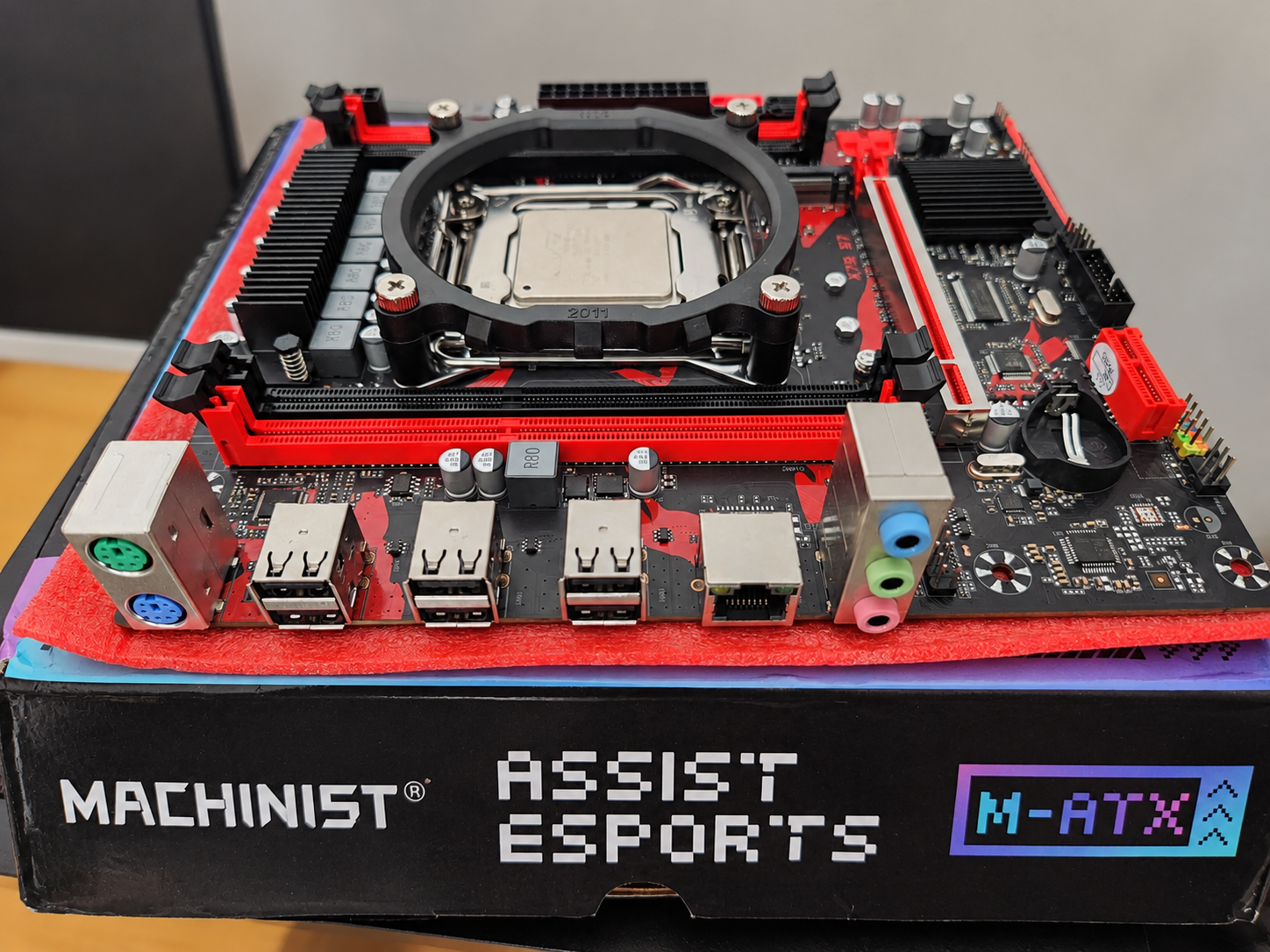
The box was slightly dented, so when I contacted them again about returning it, they offered me a partial refund if I simply kept it.
The refund was ₩17,701 ≈ $12.
That dropped the effective cost of the X79 motherboard and 10-core Xeon bundle from ₩57,382 ≈ $38 to:
₩39,681 ≈ $26.
Now I had another problem.
At that price, keeping it actually made sense.
I looked at my wife and explained the situation.
She asked the obvious question:
“Can you sell it?”
Sure.
Then came the better question.
“Can you build me a computer with it?”
Now we were talking.
She was tired of using Microsoft Office on macOS, and her old Surface was showing its age—hot, slow, and generally not enjoyable anymore.
A Windows desktop sounded much better.
I borrowed 16 GB of DDR3 from my retro PC, installed it in the X79 board, and powered the machine up.
It booted.
Excellent.
I put it aside.
The accidental motherboard now had a possible future.
Meanwhile, More Boxes Started Arriving
I had already ordered the power supply for my future server: a Thermalright TR-ABFX 500 W SFX unit.
That order originally cost ₩59,438 ≈ $40.
The box arrived dented.
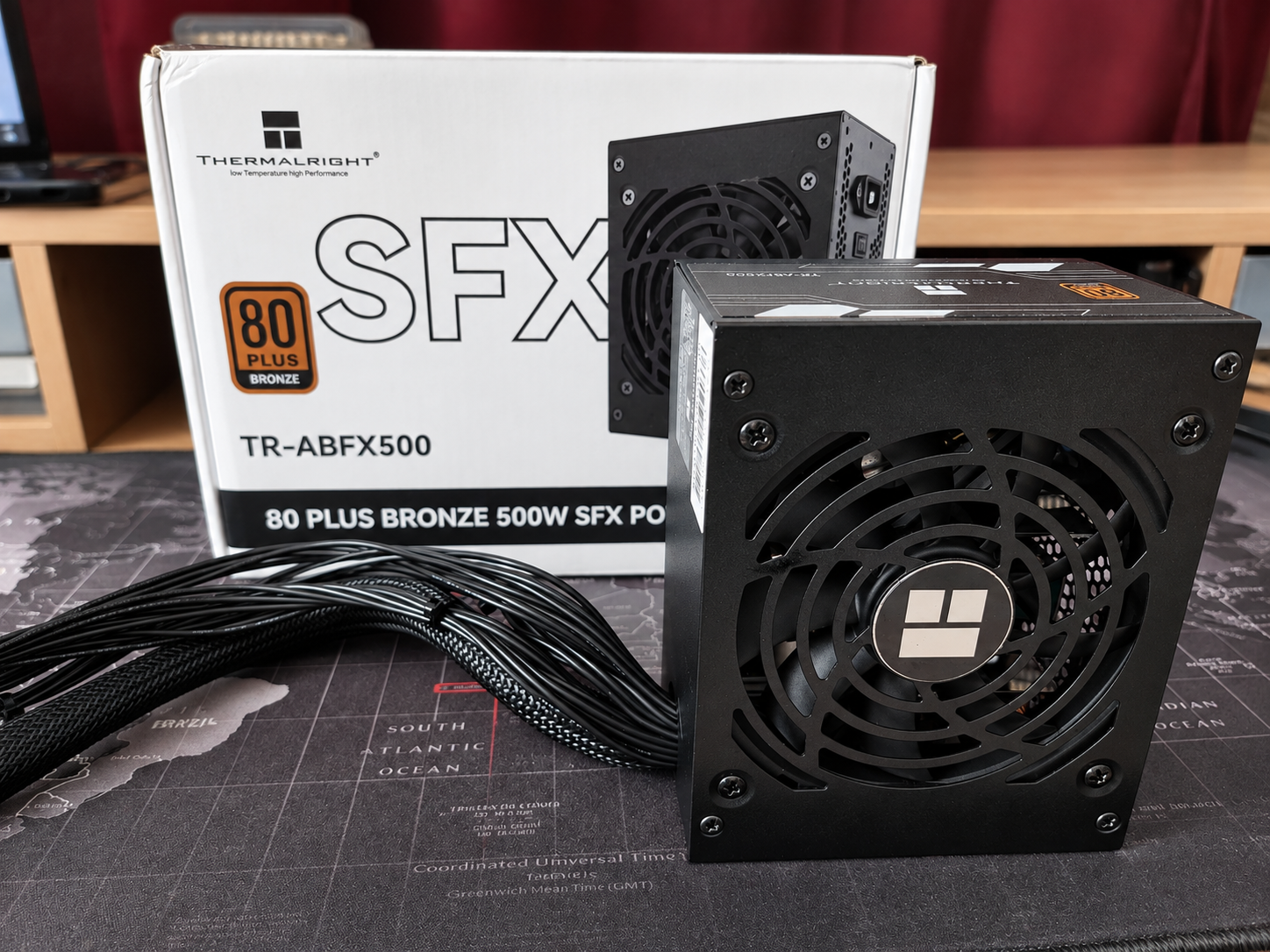
Apparently damaged packaging was becoming a financing strategy.
AliExpress gave me another partial refund, this time ₩18,934 ≈ $13, bringing the PSU's effective cost down to:
₩40,504 ≈ $27.
For cooling, I ordered a Thermalright AXP120-X67 from Amazon. I had an Amazon gift card I wanted to use up, so after the gift-card deduction my effective cost was roughly:
₩43,000 ≈ $29.
Eventually the 128 GB ECC kit arrived too.
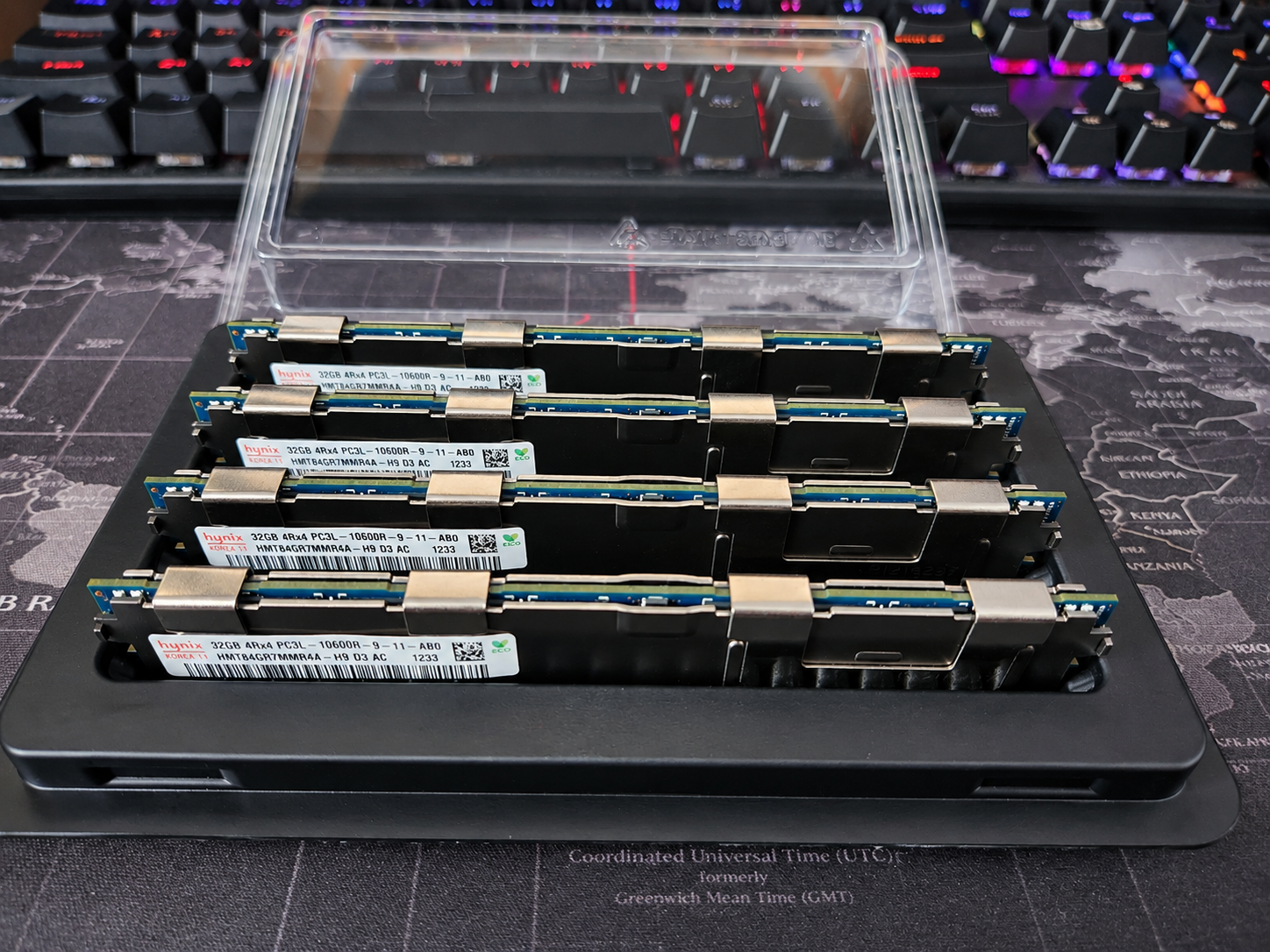
I installed all of it into the X79 board just to test everything.
128 GB.
Windows 11.
Everything worked.
And I played with it for a while.
It was a perfectly capable computer.
Which was exactly the problem.
By then, “perfectly capable” was no longer what I wanted.
I wanted something fucking overkill.
So the X79 Machine Became My Wife's
I told my wife that the X79 machine could be hers.
There was just one financial issue.
I couldn't afford to build two computers simultaneously.
We could finish her machine first and then slowly continue mine.
She thought about it and said:
“Why don't you sell the M1 Mac Mini?”
That was actually a very good idea.
The next morning I photographed the Mac Mini and listed it on Karrot for:
₩375,000 ≈ $250.
I thought the price was slightly optimistic. If someone offered around ₩350,000 ≈ $233, I was prepared to take it.
I didn't even get the chance.
Within a few hours, someone messaged me wanting to buy it that day.
We arranged a meeting. I carried the Mac Mini over, sold it for the full ₩375,000 ≈ $250, watched the money arrive in my account, and started walking home.
And while I was walking home, I started buying computer parts.
Because apparently the money was becoming dangerous if left unattended.
For my wife's computer, I bought:
- 32 GB of Samsung ECC Registered DDR3L: ₩64,000 ≈ $43
- MSI GTX 1050 Ti 4 GB: ₩64,000 ≈ $43
- ADATA SU800 512 GB SSD: ₩64,000 ≈ $43
- Bitis BC20 Mini case: ₩25,330 ≈ $17
- METALFISH CPU cooler: ₩15,495 ≈ $10
There was also a TISHRIC PCIe USB 3.x/Type-C expansion card. After the way its refund was applied, that line actually ended up slightly negative in my accounting.
And then I bought the hardware for the server I really wanted.
A HUANANZHI X99-QD3.
And a 22-core Xeon E5-2696 v4.
Now we had officially entered stupid territory.
The 22-Core CPU That Didn't Exist
Then, the next morning, I got a message from the CPU seller.
They were out of stock.
Please cancel the order.
Fuck.
The price had been good too.
So I cancelled it and started hunting again.
AliExpress.
eBay.
Karrot.
Korean listings.
Chinese listings.
Anywhere that might have an E5-2696 v4 without asking a ridiculous price.
After another couple of days, I found one.
I placed the order and immediately messaged the seller:
Do you actually have this CPU in stock?
They said yes.
I replied:
我爱中国 🌹
“I love China.”
They sent me a rose back.
International relations had never been better.
The final CPU cost was:
₩84,742 ≈ $56.
The X99-QD3 order was ₩62,108 ≈ $41, but a later partial refund of ₩22,250 ≈ $15 dropped its effective cost to:
₩39,858 ≈ $27.
So for roughly ₩125,000 ≈ $83 effective, I had the motherboard and a 22-core, 44-thread Xeon platform.
This was much more like it.
First, I Finished My Wife's Computer
Most of my wife's remaining parts were bought locally in Korea, so they arrived quickly.
Her cooler was the exception. That was still coming from AliExpress.
She was really looking forward to the new machine, so I temporarily used my own cooler to assemble it.
Windows 11 went on.
Drivers.
Programs.
Updates.
Testing.
Everything worked.
Then her METALFISH cooler arrived, I swapped the temporary cooler out, finished the assembly properly, and handed her the machine.
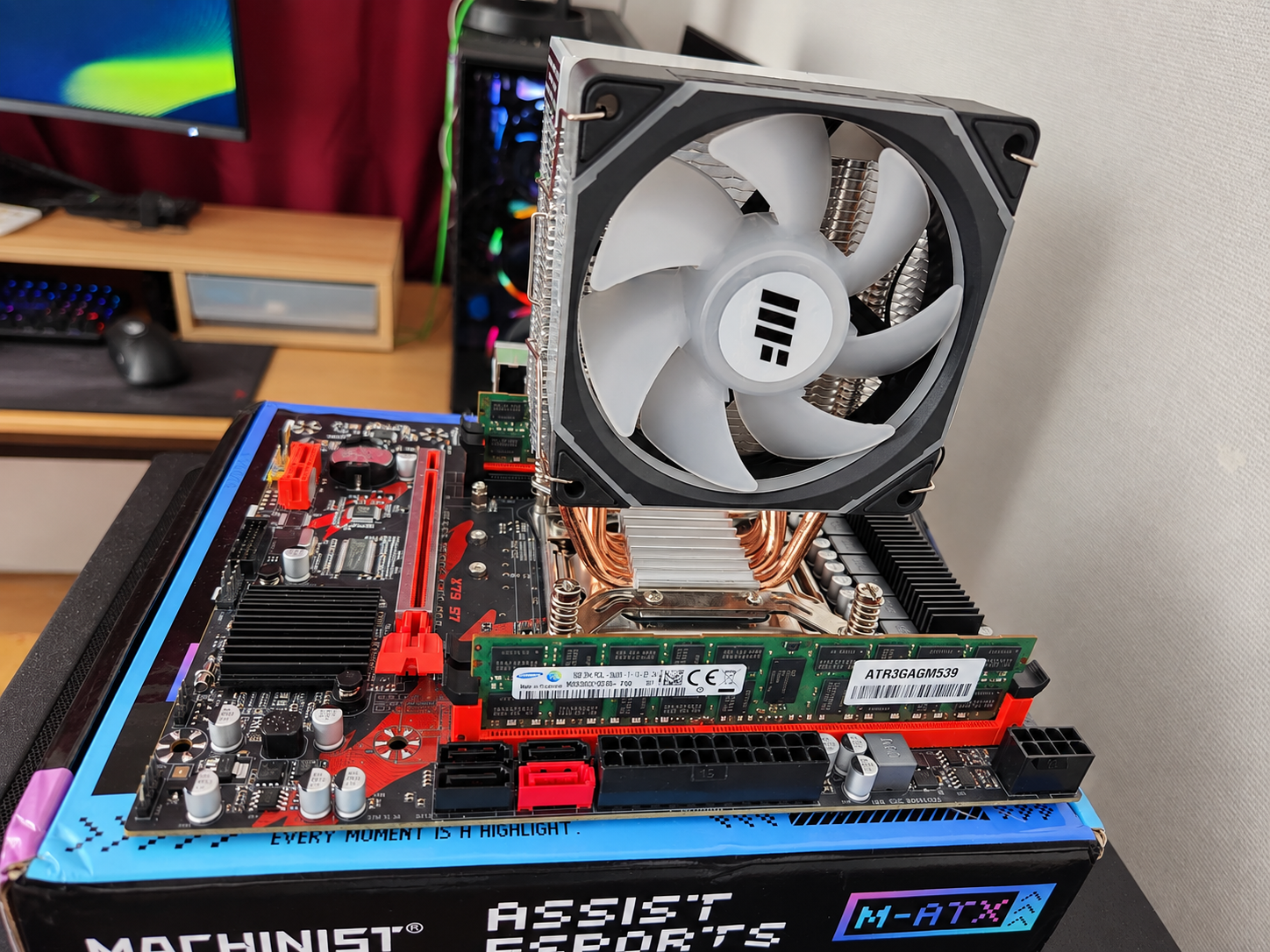
She was really, really happy with it.
The accidental X79 purchase had somehow turned into a genuinely good Windows desktop:
Xeon E5-2670 v2
10 cores / 20 threads
32 GB ECC RAM
GTX 1050 Ti
512 GB SSD
Not bad for a motherboard I had originally tried to return.
Then My 22-Core Monster Arrived
My X99 motherboard actually arrived before the processor.
Eventually the CPU showed up on the same day as my wife's cooler.
That was the day both branches of this increasingly stupid project finally came together.
I assembled the X99 system.
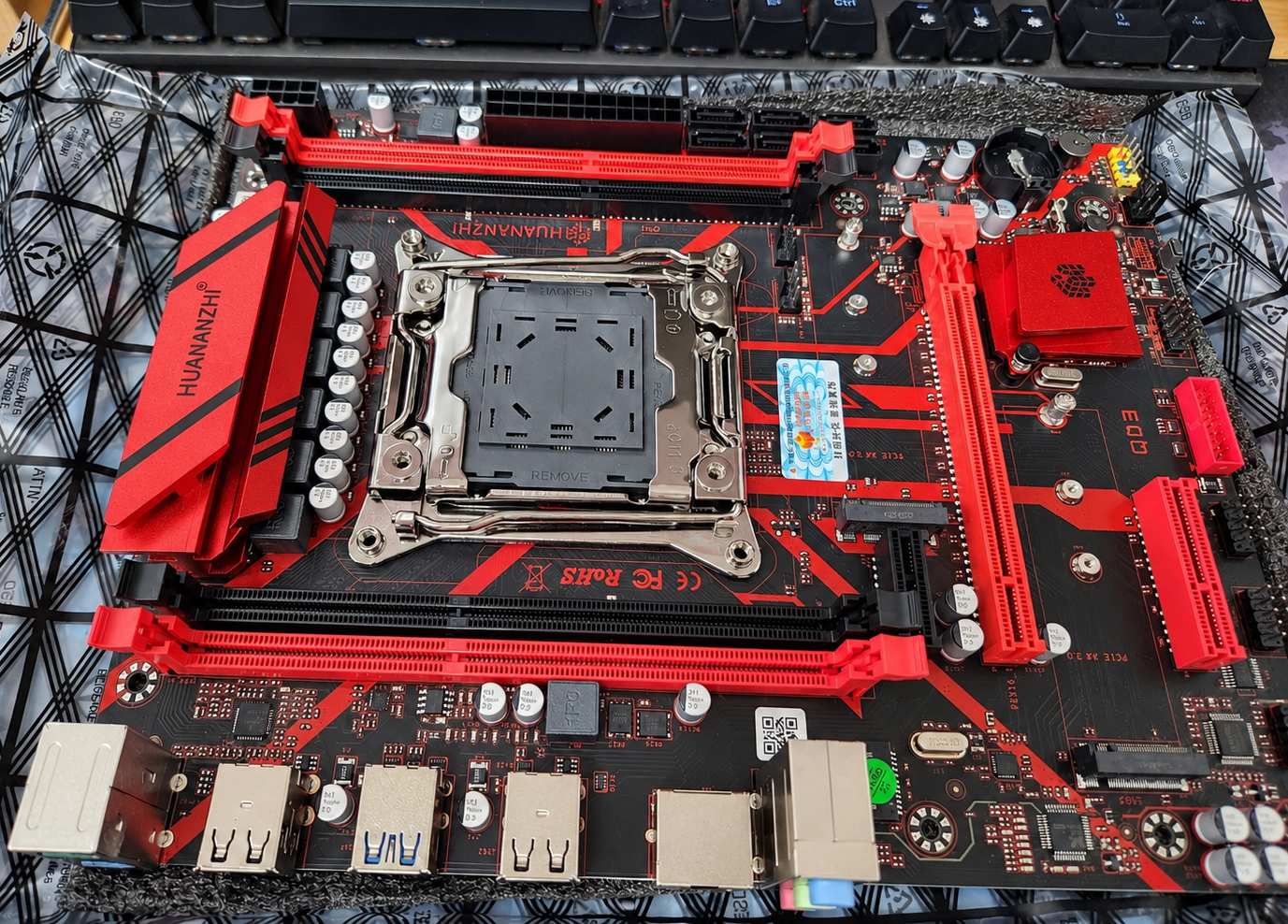
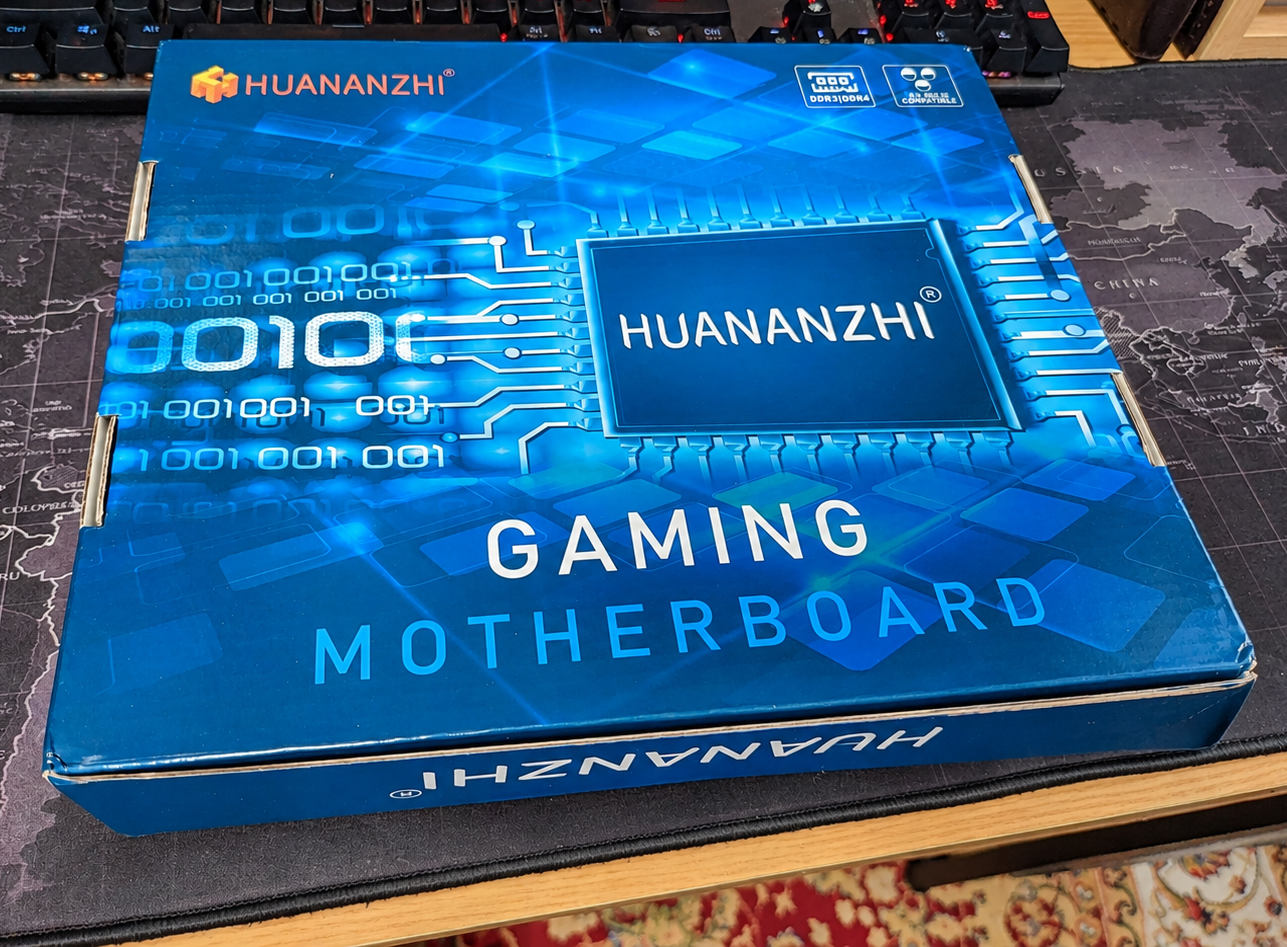
HUANANZHI X99-QD3
No case.
Motherboard on the bench.
Drives connected wherever they would reach.
Cables everywhere.
Tools everywhere.
Temporary components scattered around it.
It looked less like a NAS and more like evidence.
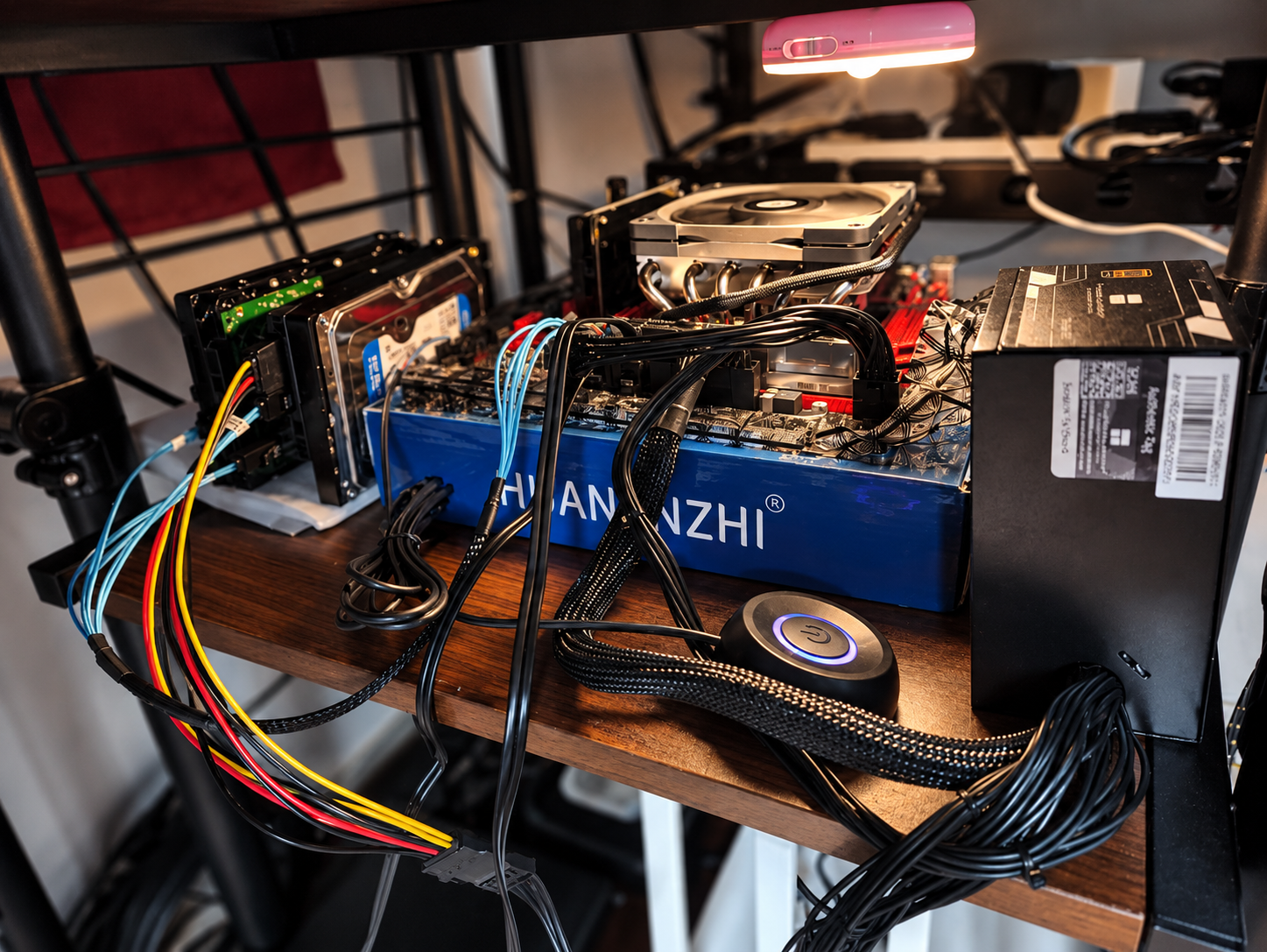
This was the birth of:
Za JunkNAS V2.
And honestly, I loved it.
Selling Hardware While Buying Hardware
While all of this was happening, I was also selling hardware I no longer needed.
That became an important part of the economics of the project.
The spare ThinkCentre M700 I had previously bought was stripped down and reshuffled. It had originally cost me:
₩50,000 ≈ $33
with an i5-6400 and an old SSD.
I kept the i5-6400.
The machine eventually left with an i3-6100 and no RAM or SSD for:
₩60,000 ≈ $40.
The old SSD was sold separately for another:
₩27,000 ≈ $18.
I also had a Kingston 2×8 GB DDR4-2133 kit that had caused crashes in multiple machines.
I listed it clearly as defective, explicitly sold as-is with no returns.
Someone still wanted it.
₩30,000 ≈ $20.
Later, once Za NAS V2 had fully replaced the old main ThinkCentre server, that M700—with its i5-6400, 16 GB RAM, and 256 GB SSD—sold for:
₩195,000 ≈ $130.
And later still, another Samsung DDR4 pair totaling 8 GB sold for:
₩33,000 ≈ $22.
Old hardware in my house was slowly being converted into Xeon money.
The Case Problem
The server itself worked perfectly well on the bench.
But I still needed the case I had wanted from the beginning.
The JONSBO N4.
And naturally, right when I was ready to buy it, it disappeared from the Korean market.
Sold out.
The few listings still available were asking nearly double what I thought the case was worth.
Fuck that.
Back to China.
I ordered the N4 through AliExpress for:
₩108,888 ≈ $73.
Then I waited roughly another week.
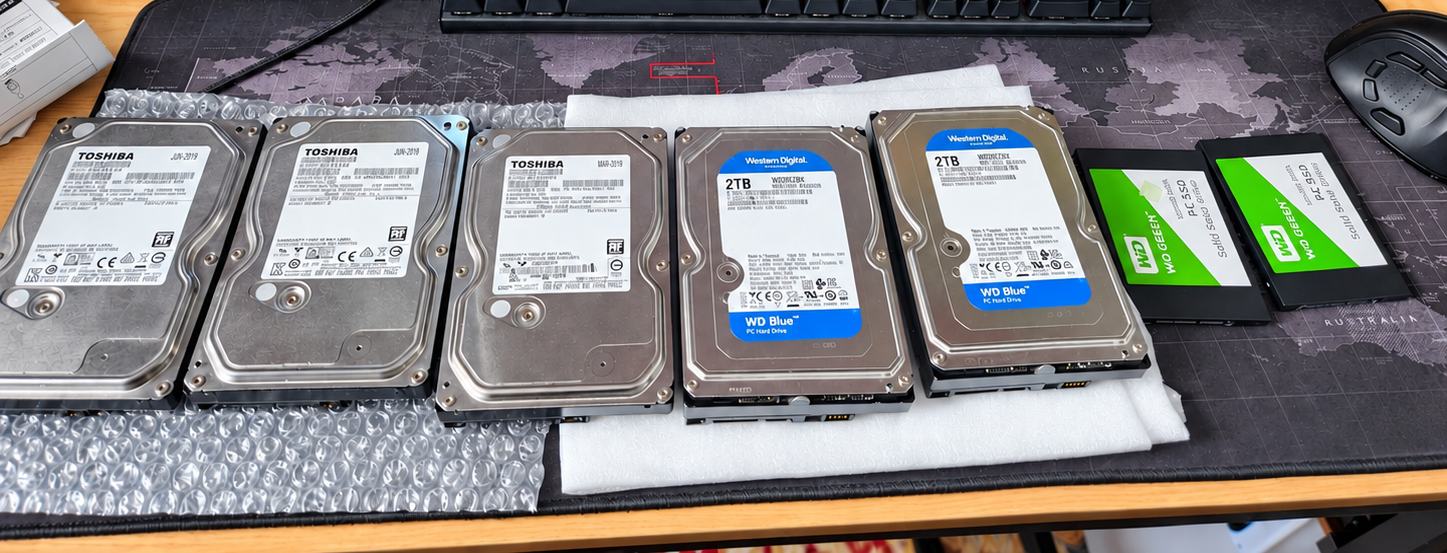
While the case was on its way, I found three used Toshiba hard drives on Karrot.
All three together:
₩70,000 ≈ $47.
I bought them.
Now I had even more drives sitting around waiting for a case that was somewhere between China and my living room.
Eventually the N4 arrived.
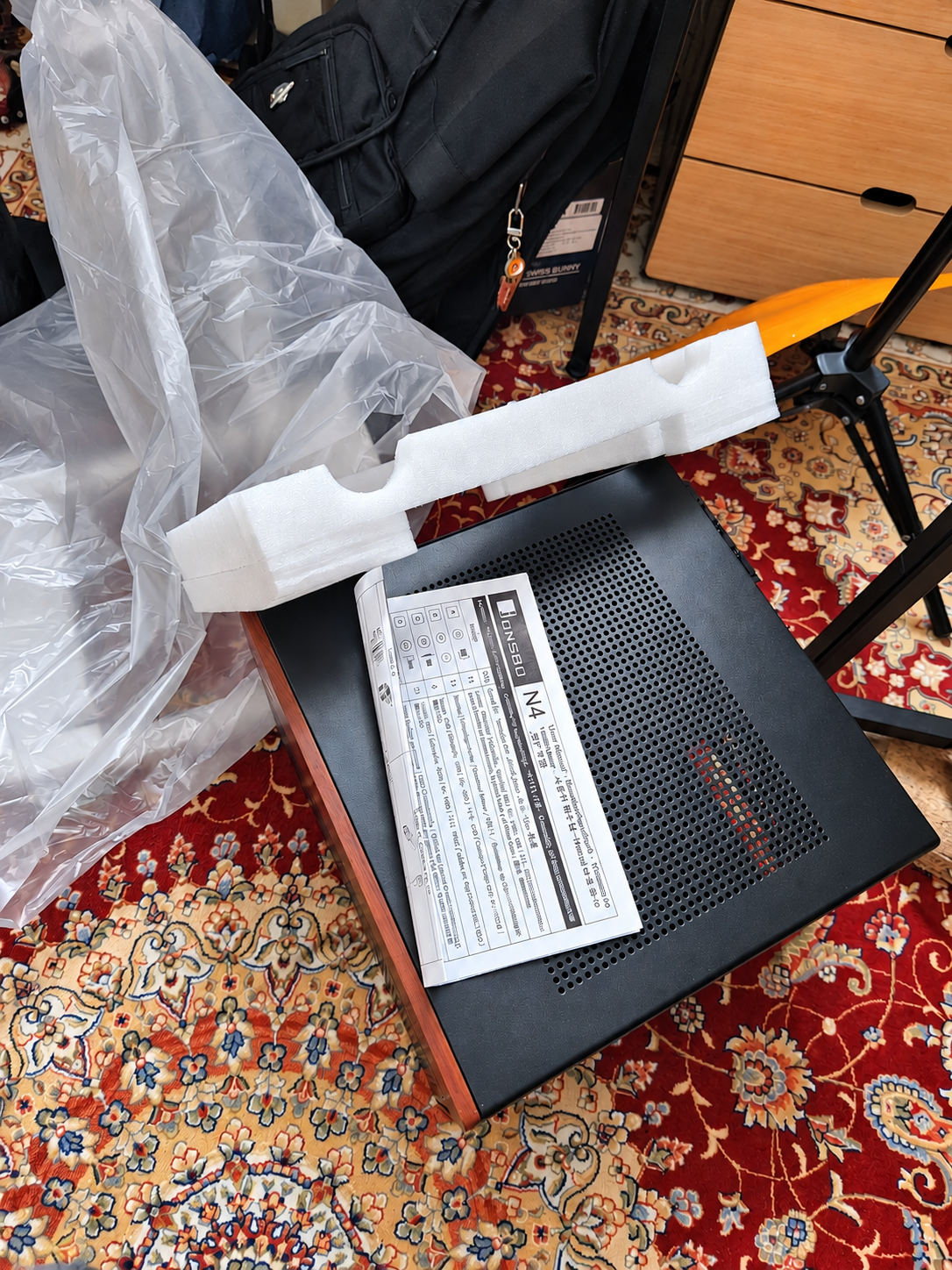
Za JunkNAS V2 was finally ready to stop being junk.
Building Za NAS V2
The final platform was now:
Intel Xeon E5-2696 v4
22 cores / 44 threads
HUANANZHI X99-QD3
128 GB SK hynix ECC Registered DDR3L
Thermalright AXP120-X67
Thermalright TR-ABFX 500 W SFX PSU
JONSBO N4 Black
I also added a Thermalright TL-C12C-S 120 mm fan for:
₩6,772 ≈ $5
and two WD Green 120 GB SATA SSDs bought as a pair for:
₩30,000 ≈ $20
for the mirrored TrueNAS boot pool.
A set of SATA cables initially cost ₩7,170 ≈ $5, but that order was later fully refunded, making their effective cost zero.
Once everything moved into the N4, the machine finally looked like an actual server rather than an electrical accident.
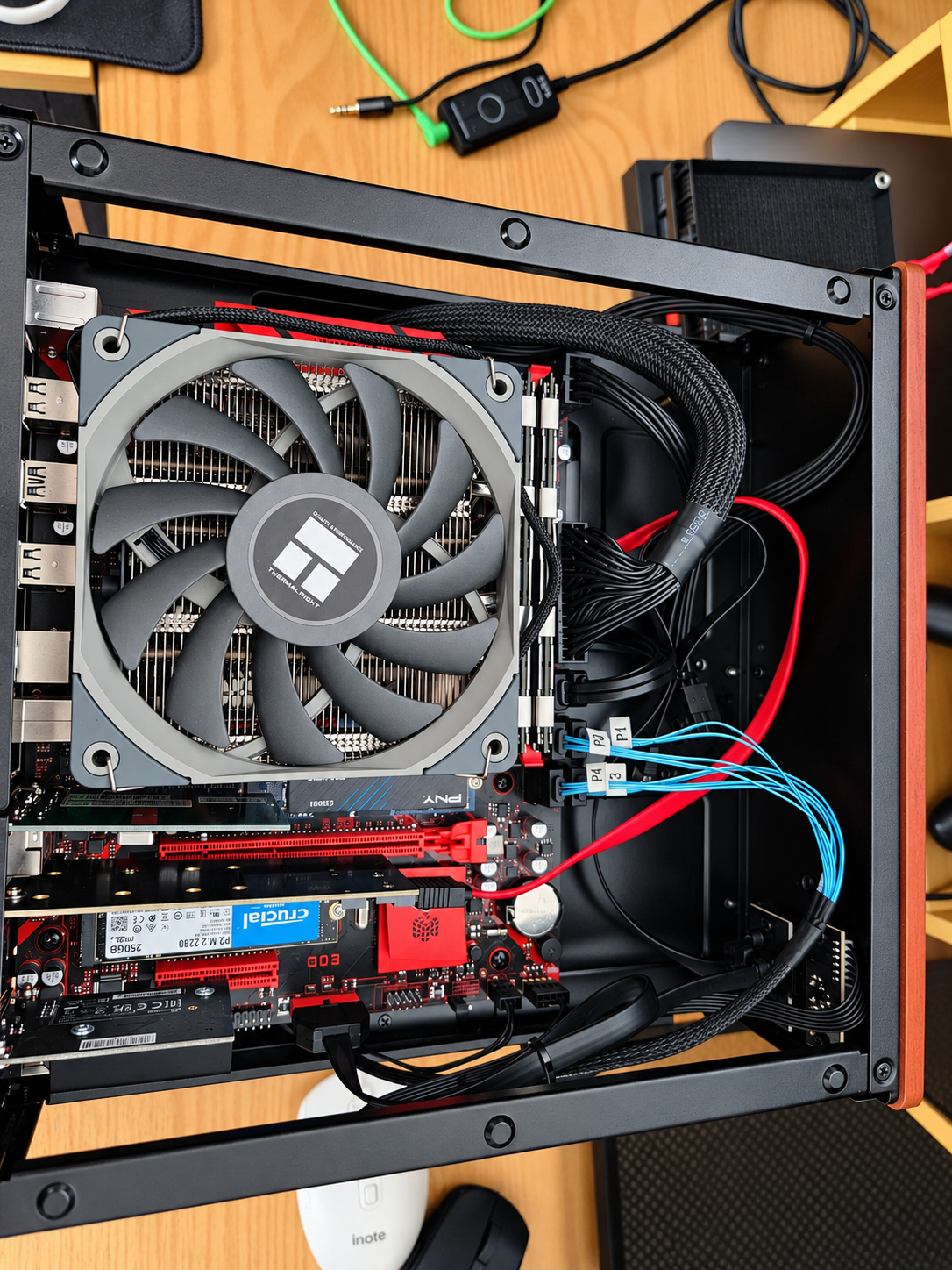
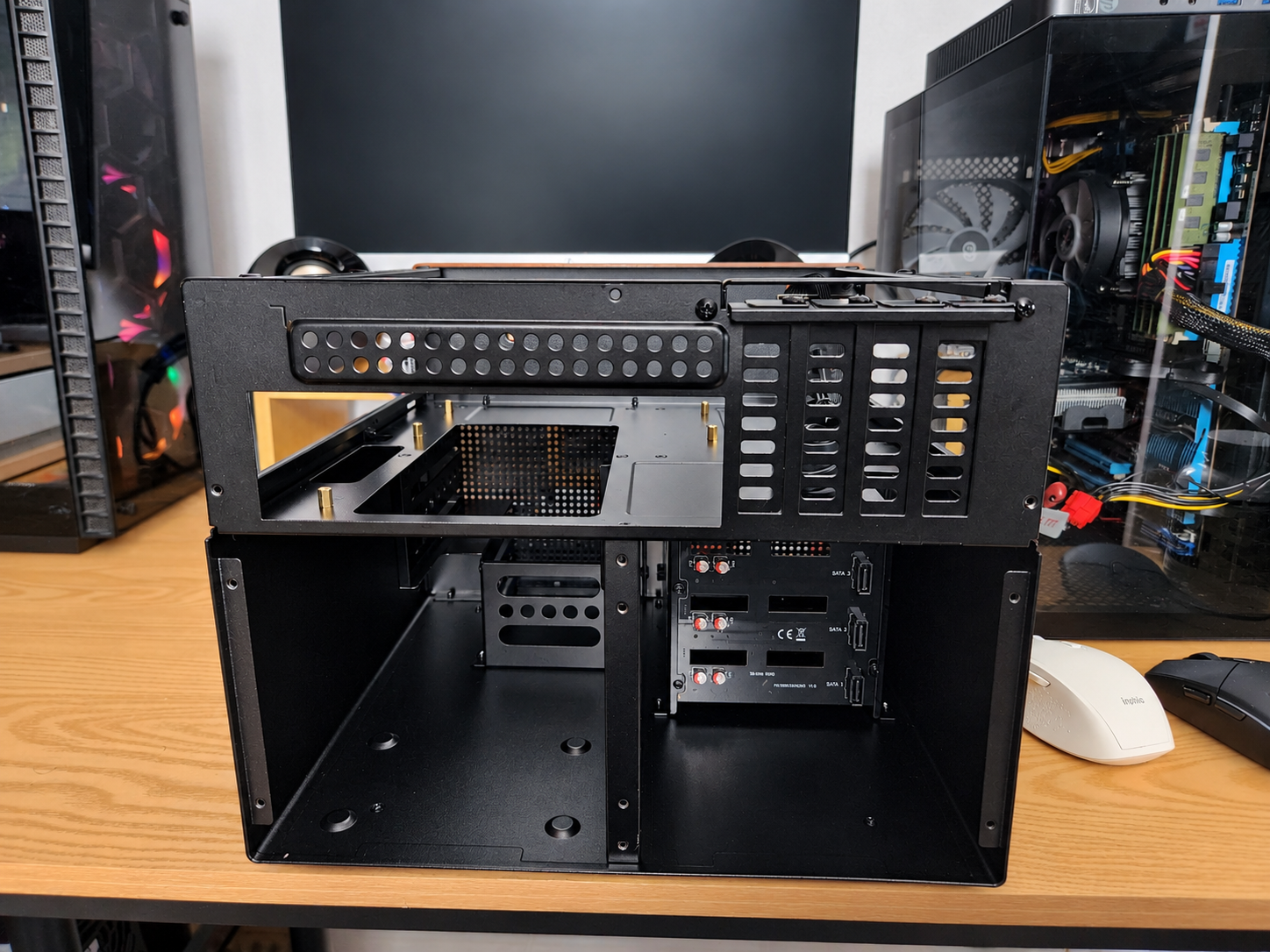
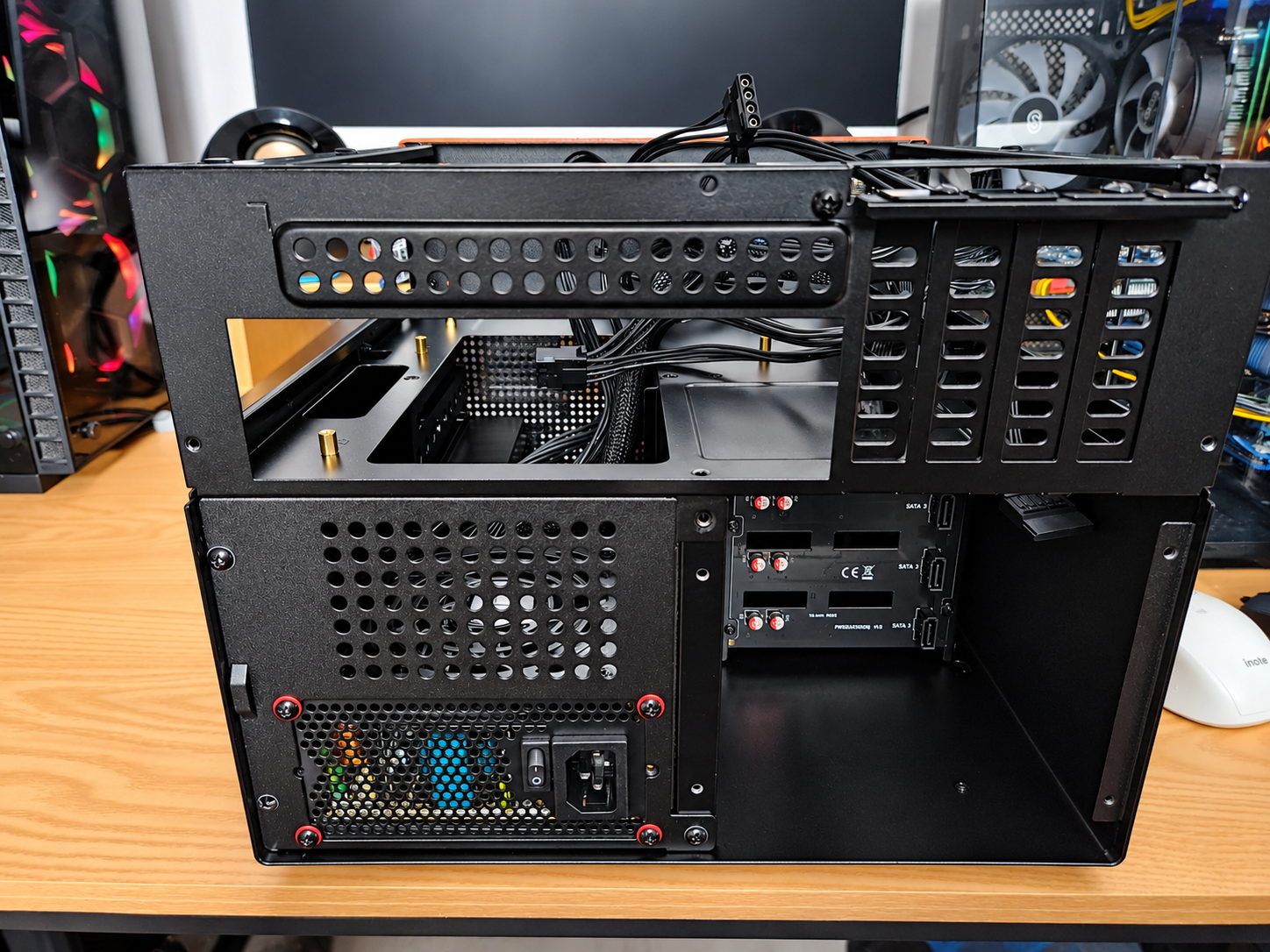
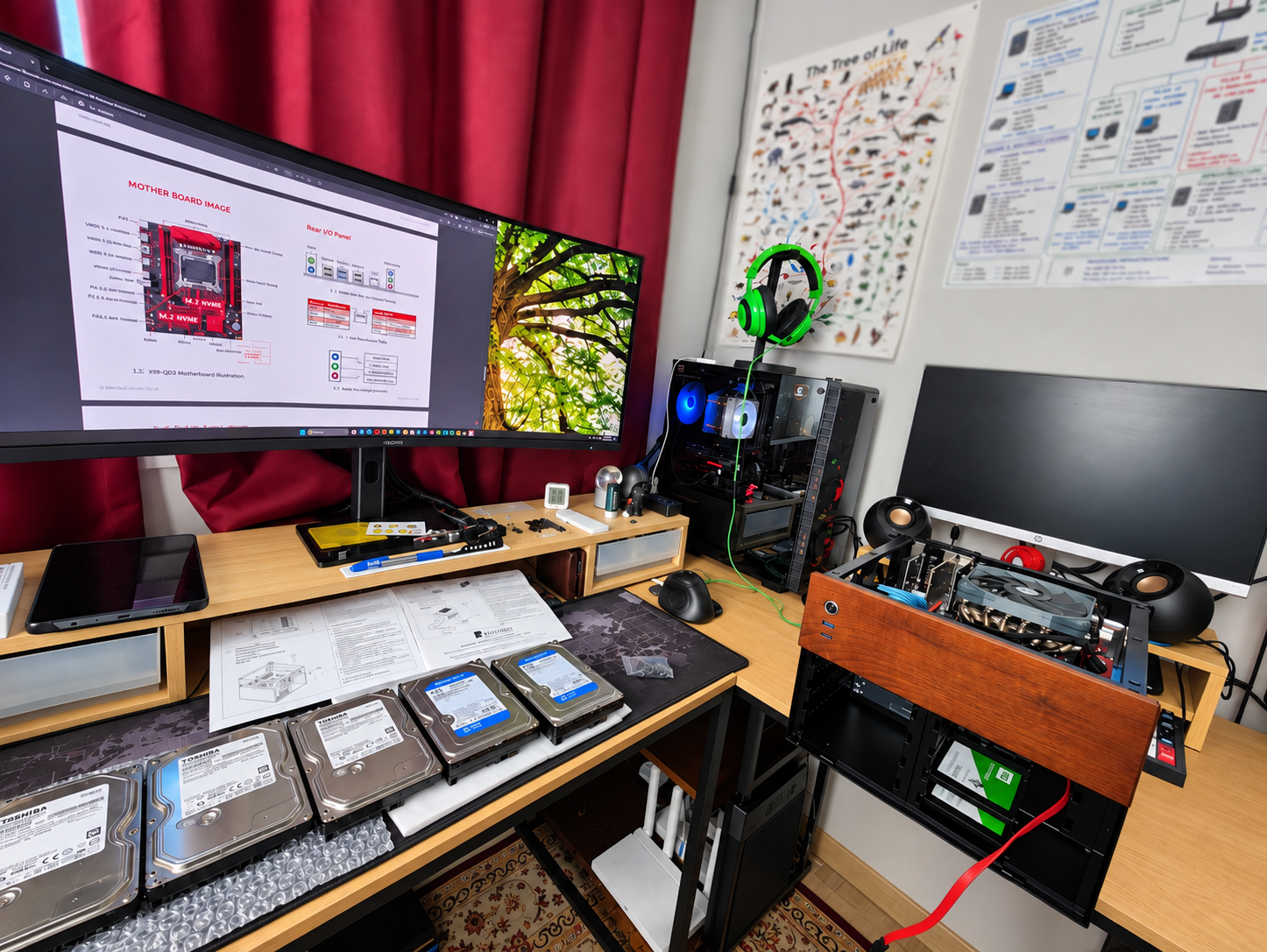
Za NAS V2 Assembly
And once that lid went on, Za JunkNAS V2 was officially dead.
Long live:
Za NAS V2.
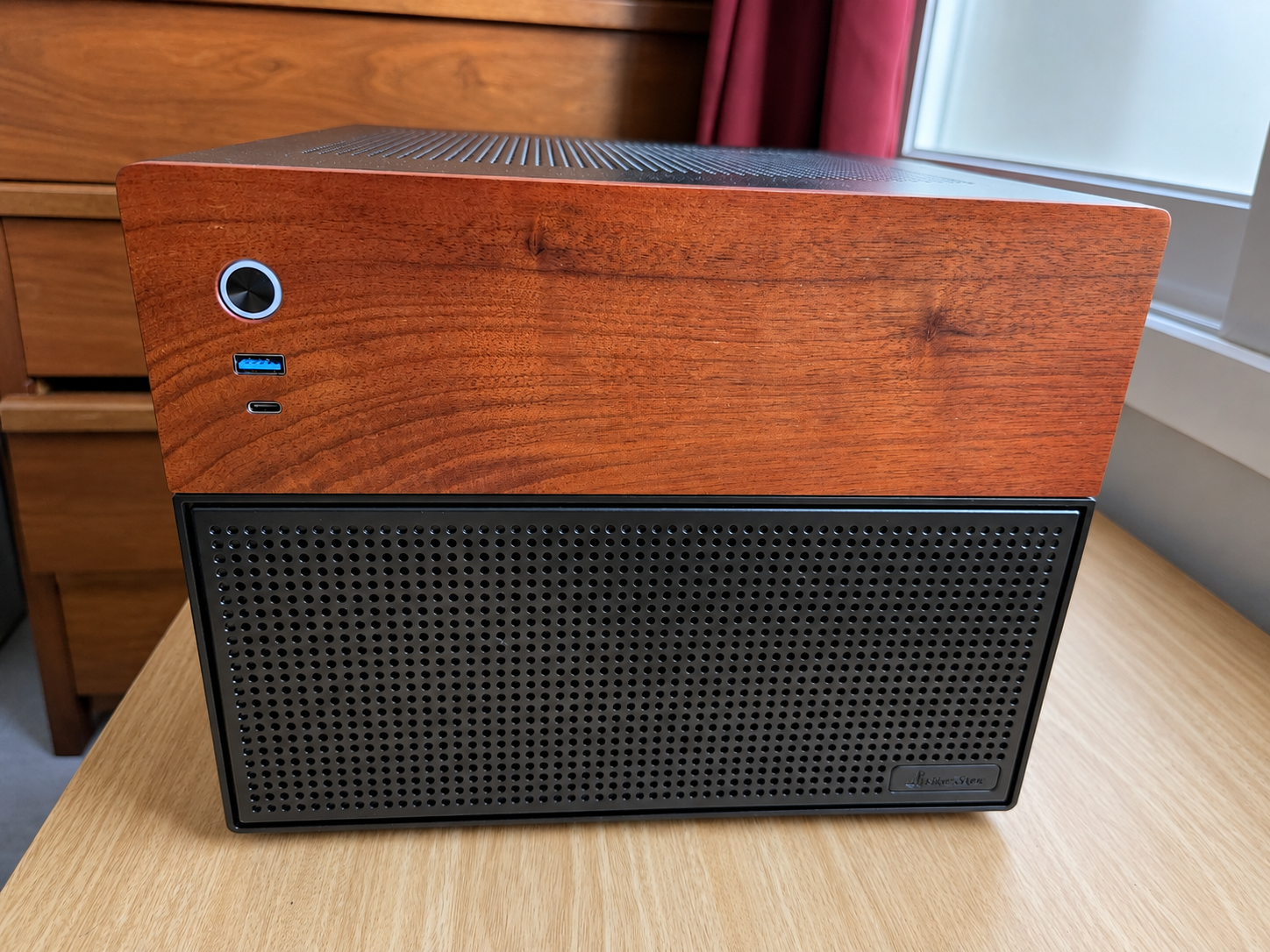
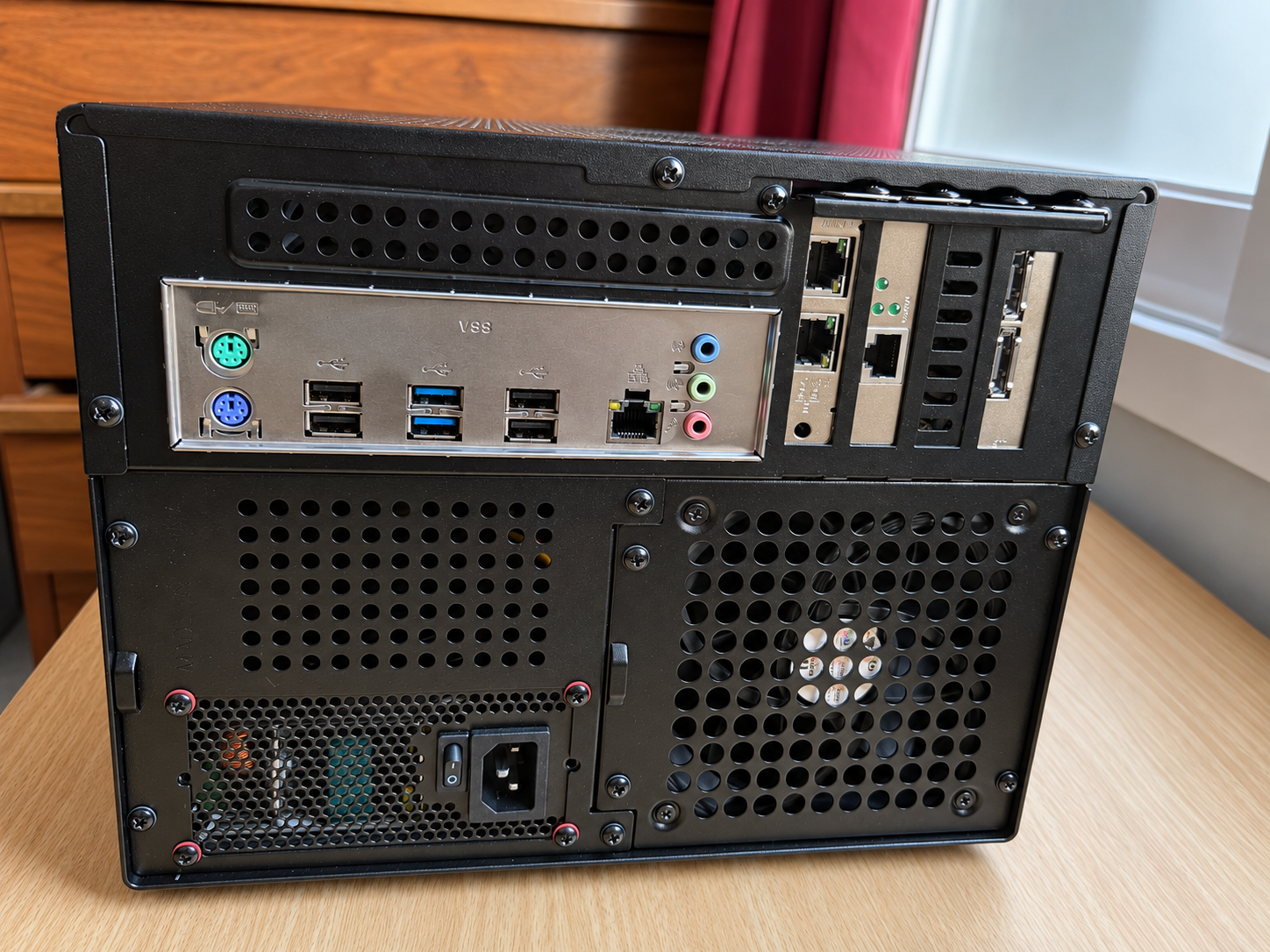
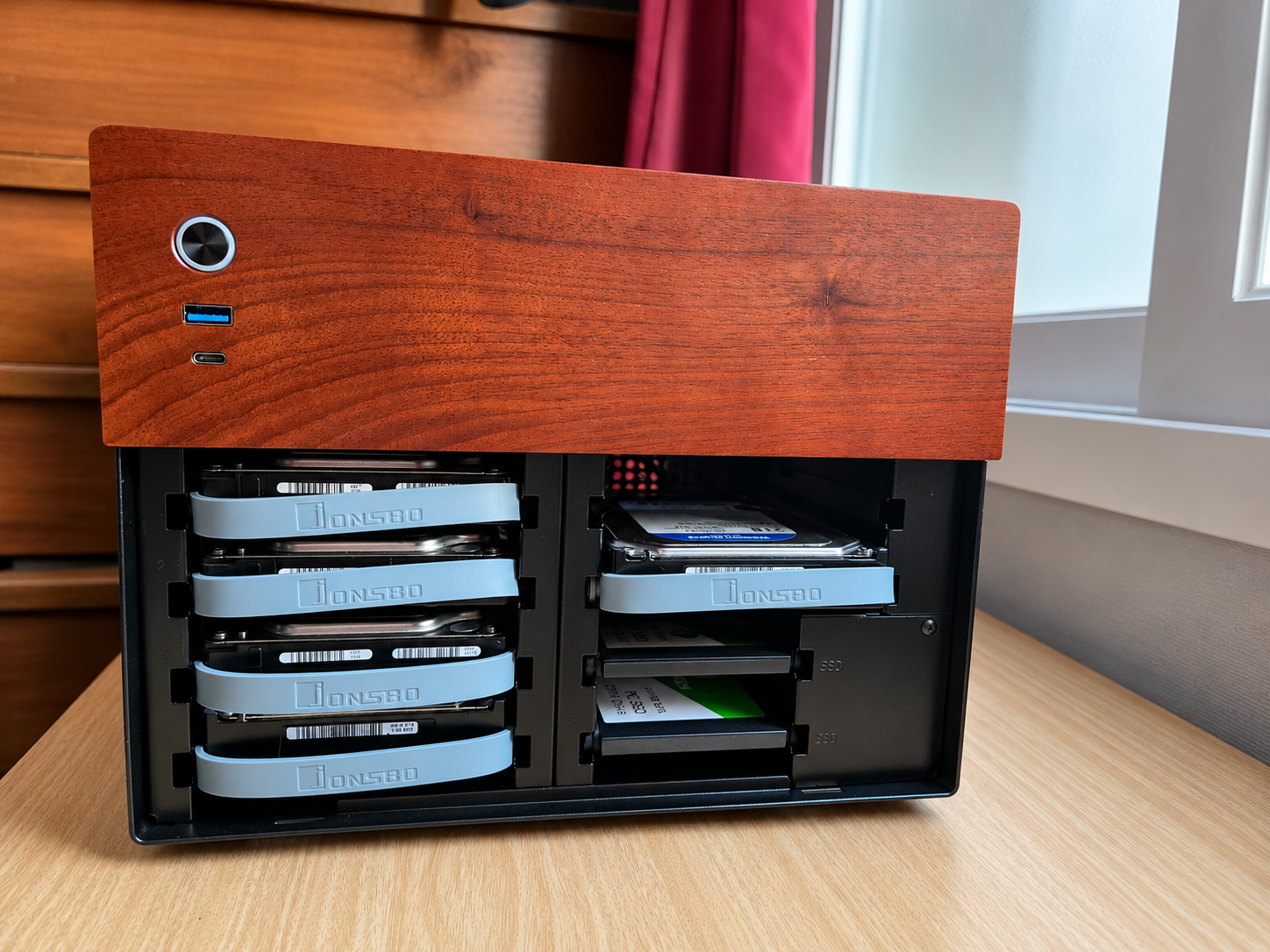
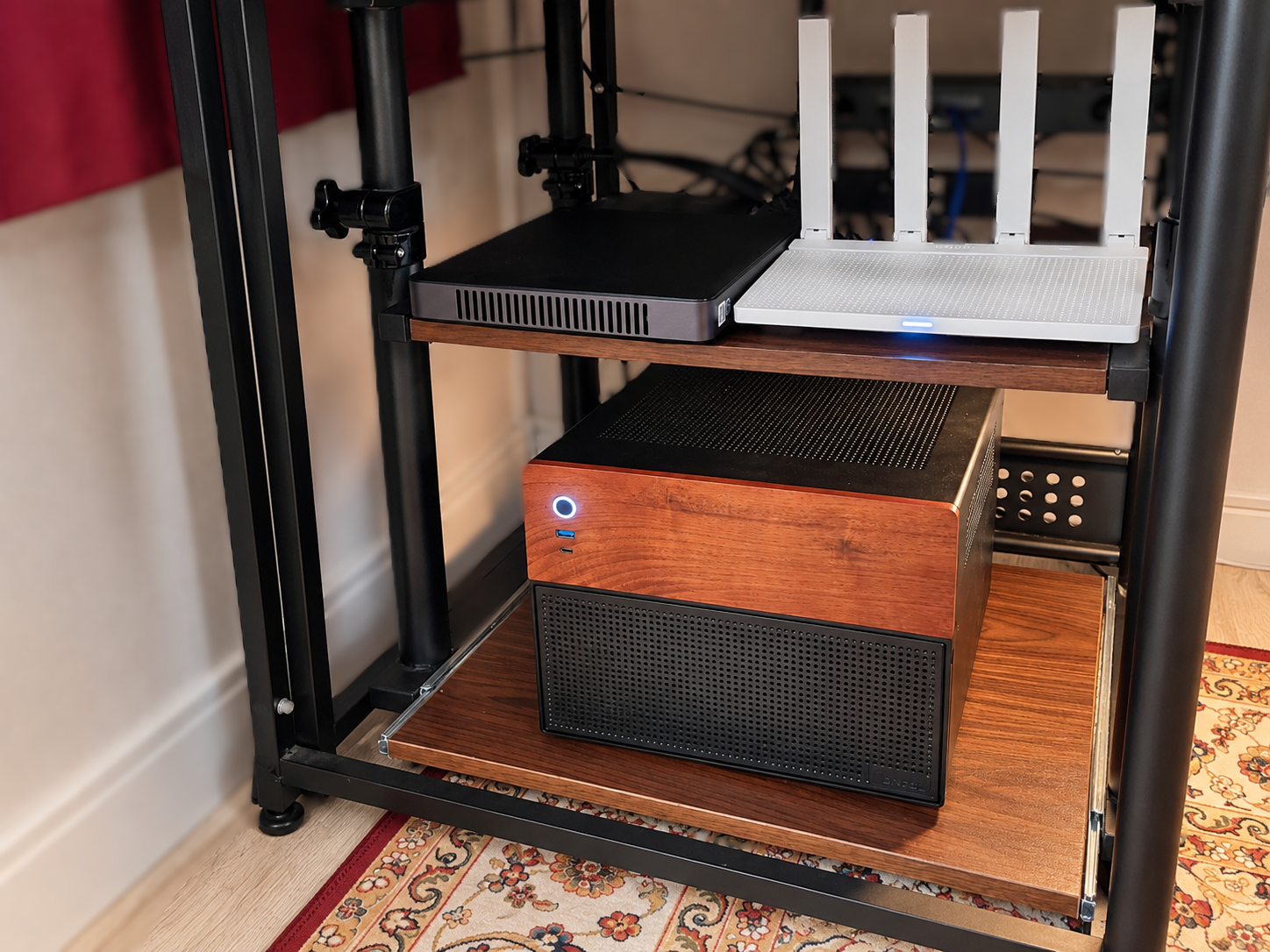
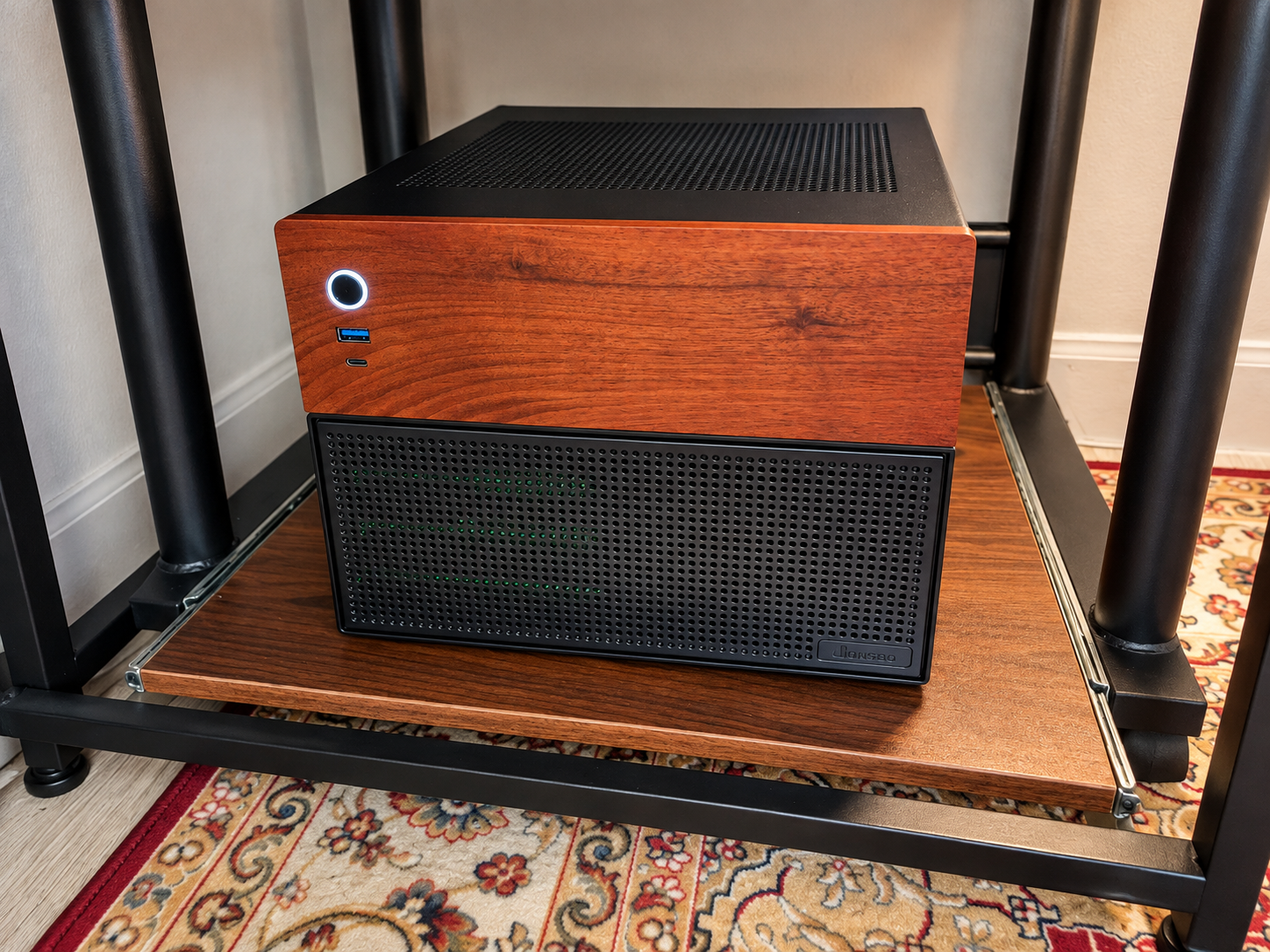
Za NAS V2 Assembly Done and Working
Testing the Beast
Before trusting the machine with anything important, I tested the hell out of it.
The E5-2696 v4 scored:
17,306 points in Cinebench R23 multi-core.
Under sustained all-core load, all 22 cores could sit around 2.8 GHz.
CPU package power reached around 134 W.
Maximum legitimate CPU temperature was around 60–61°C.
And most importantly:
No thermal throttling.
That little AXP120-X67 was cooling a 22-core Broadwell-EP Xeon just fine.
Before adding all the hard drives, the open-bench machine idled at roughly 53.2 W.
Considering what was inside it, I was pretty happy with that.
It also booted headless without a GPU.
Exactly what I wanted.
TrueNAS and the Actual Point of This Madness
The operating system was the easy choice.
TrueNAS SCALE.
The machine now had everything I originally wished the little M700 had:
More CPU than I realistically needed.
More RAM than I realistically needed.
More storage flexibility.
Virtualization support.
PCIe expansion.
And most importantly:
headroom.
VT-x/VMX, VT-d, ACS, and interrupt remapping were all working.
I could allocate real resources to virtual machines without turning every VM launch into a negotiation with the host.
The web-server VM alone could get 16 GB of RAM and 10 CPU cores and the server would barely care.
That was the whole point.
I did not want a server constantly sitting at its limit.
I wanted something I could grow into.
Storage and Networking
The storage arrangement evolved during the project.
The current system includes the three Toshiba drives I picked up on Karrot, the existing pair of 2 TB WD Blue drives, the 2 TB PNY CS1031 NVMe, and the mirrored pair of 120 GB WD Green boot SSDs.
The hard-drive pools handle bulk storage, while the NVMe gives me fast space for workloads that actually benefit from it.
I also kept the direct 2.5 Gb Ethernet connection between my main workstation and the NAS.
That gives my main PC a fast direct path to the server without forcing me to upgrade the entire house to faster networking.
Yet.
Because obviously now I occasionally think about 10 Gb Ethernet.
This is how these things happen.
The Homelab Afterward
Za NAS V2 didn't just replace the old NAS.
It changed how the homelab was organized.
The old ThinkCentre M700 server was sold.
The HP EliteDesk's web-server role could move into the new server as a VM.
My HP T620 became the small always-on infrastructure machine running Pi-hole, Unbound, and Tailscale.
And the supposedly mistaken X79 purchase became my wife's Windows desktop.
So somehow, a project that started because I wanted fewer little computers produced another computer while still improving consolidation.
I consider this logically consistent.
Probably.
So What Did This Insanity Actually Cost?
This is where the project gets funny.
My wife's finished Xeon PC, using the effective prices after refunds, came to:
₩271,372 ≈ $181.
Za NAS V2, before adding the later three used HDDs, came to:
₩520,832 ≈ $347.
Combined:
₩792,204 ≈ $528.
That sounds like a lot more than the story I have been telling.
But then there were the sales.
The M1 Mac Mini:
₩375,000 ≈ $250
Backup M700:
₩60,000 ≈ $40
Old SSD:
₩27,000 ≈ $18
Defective-but-fully-disclosed DDR4 kit:
₩30,000 ≈ $20
Former main M700 NAS:
₩195,000 ≈ $130
Recovered from those sales:
₩687,000 ≈ $458.
There was also a ₩3,500 ≈ $2 coupon in the accounting.
That brought the combined effective outlay down to:
₩101,704 ≈ $68.
Then I bought the three Toshiba drives for:
₩70,000 ≈ $47.
New total:
₩171,704 ≈ $114.
Later, I sold another 8 GB Samsung DDR4 pair for:
₩33,000 ≈ $22.
Final effective outlay for the entire two-machine Xeon saga:
₩138,704 ≈ $92
Again:
That is not just the NAS.
That is the effective net cost of my wife's finished Windows PC plus Za NAS V2, after the refunds, coupon, and hardware sales I counted against the project.
I started because I was annoyed that upgrading the RAM in a ThinkCentre was too expensive.
Somehow the solution was two Xeon computers.
Economics is beautiful.
Was 22 Cores Necessary?
No.
Absolutely fucking not.
My files do not care that they are being served by 22 CPU cores.
ZFS was not sitting there demanding 44 threads.
Home Assistant does not become enlightened when surrounded by 128 GB of ECC memory.
And Pi-hole would probably run on a potato if I soldered an Ethernet jack to it.
But necessity was never really the point.
I wanted to build something.
I wanted to learn.
I wanted enough memory that ZFS could do its thing without me constantly worrying about what else was running.
I wanted enough CPU capacity to create VMs because they sounded interesting, not because I had carefully negotiated every core.
I wanted enough expansion room that the hardware would stop being the limitation for a while.
And I wanted to take old enterprise technology, weird modern Chinese motherboards, used parts, refunds, secondhand deals, and hardware that other people no longer cared about and turn all of it into something genuinely useful.
That's exactly what happened.
Za NAS V2
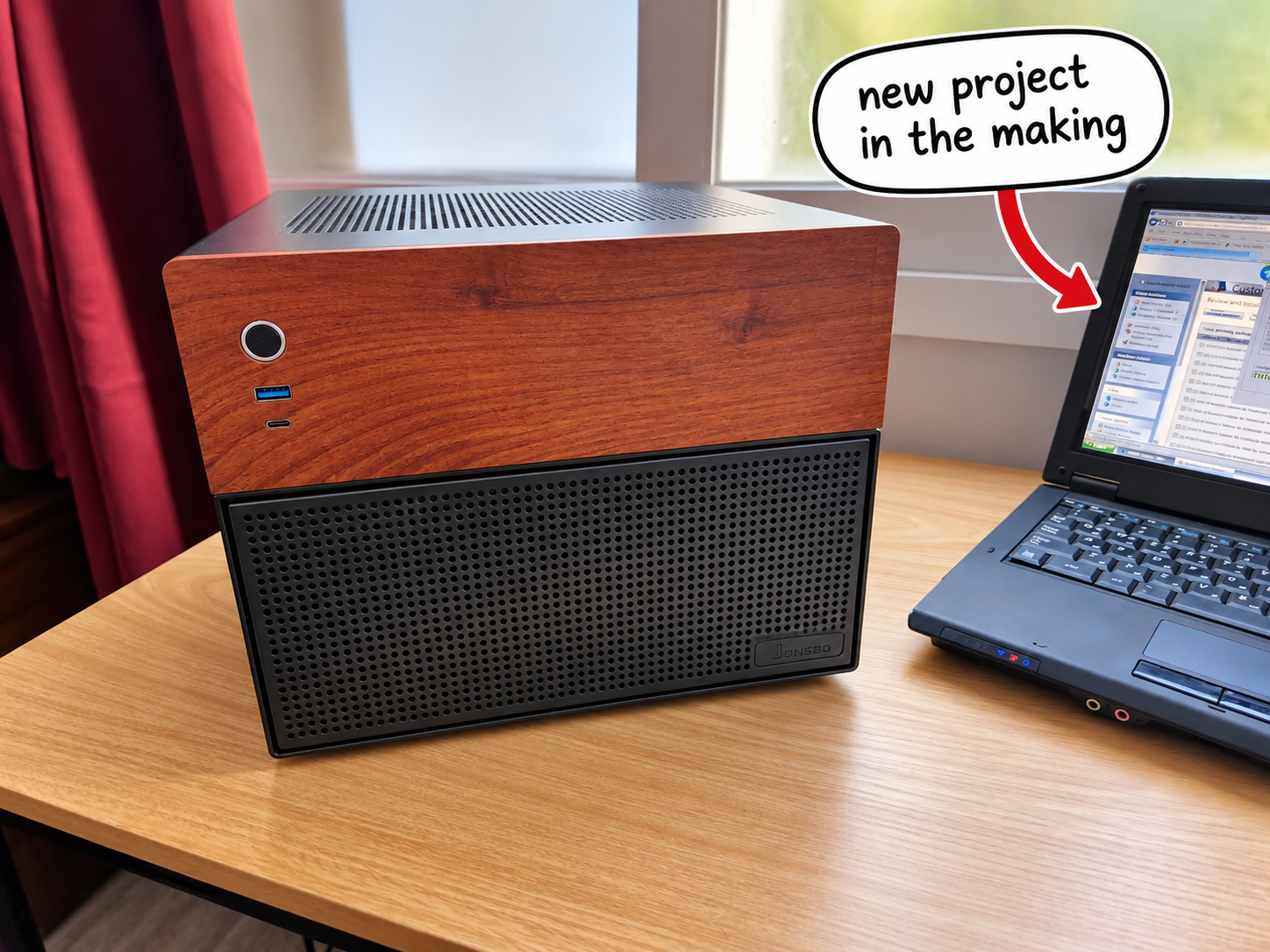
It started with a 16 GB ThinkCentre.
Then I thought DDR3 was cheap.
Then I bought the wrong motherboard while slightly drunk.
Then AliExpress paid me to keep part of it.
Then my wife got a Xeon.
Then I sold a Mac.
Then a CPU seller ruined my morning.
Then I told another Chinese seller 我爱中国 and sent him a rose.
Then I ended up with a 22-core Xeon, 128 GB of ECC RAM, multiple storage pools, virtual machines, a reorganized homelab, and a JONSBO N4 sitting quietly beside me doing all the work I originally wanted one machine to do.
Is it the newest server?
No.
The most power-efficient?
No.
The most sensible?
Definitely not.
But every time I open TrueNAS and see:
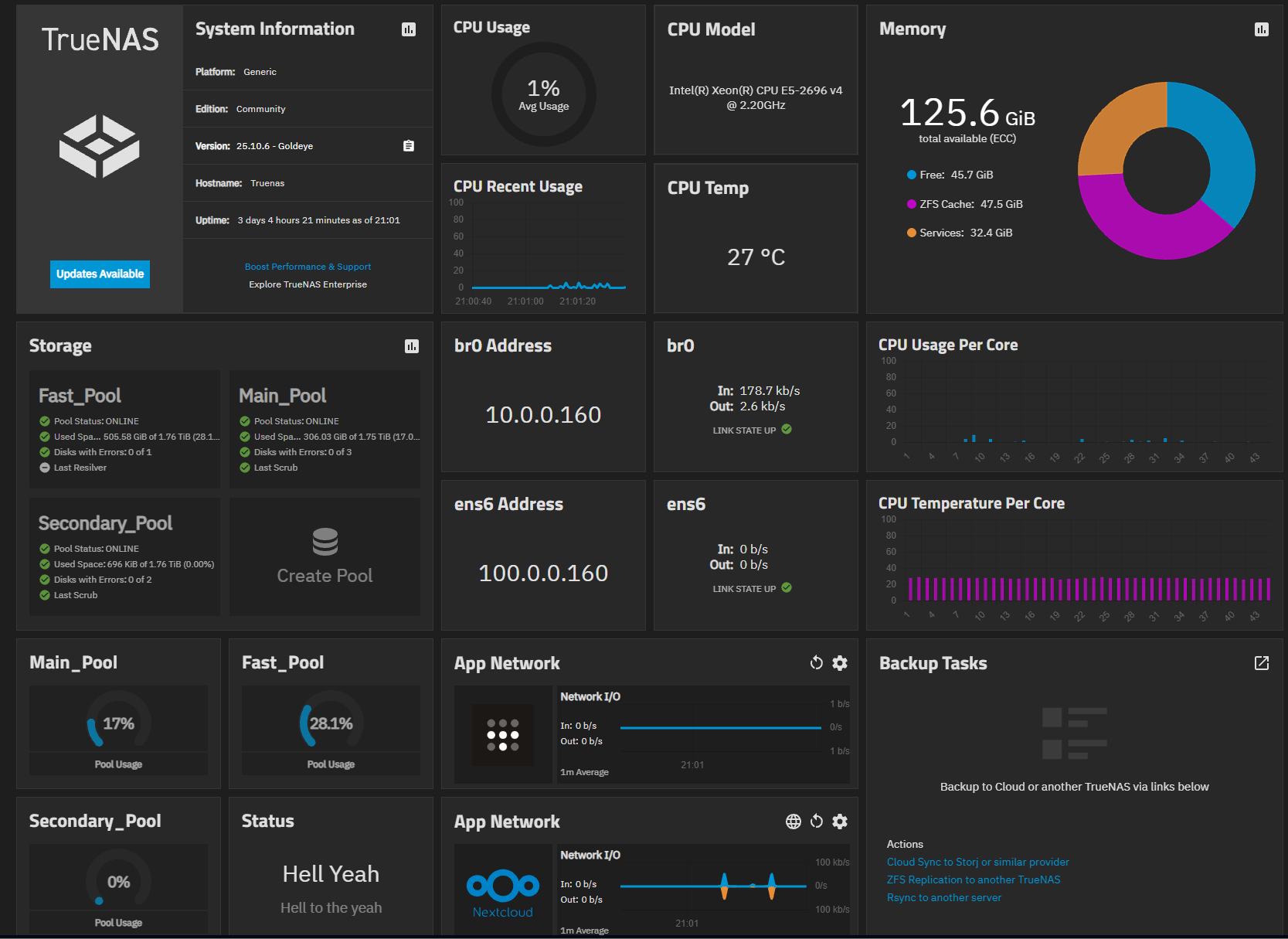
22 cores.
44 threads.
128 GB ECC RAM.
I still have exactly the same reaction I had the first time this stupid thing POSTed.
Hell yeah.